First-time setup
When you first open your workspace, a short setup helps you add names, key dates, an accent color, and which navigation items you want on your dashboard. You only see what you need to see.

Schedule and to-dos
Your whole wedding timeline, broken into bite-size pieces, plus hints about what to focus on next. A shared calendar keeps everyone aligned right down to the smallest details.

Wedding theme
Not sure what your wedding style actually is? Take the interactive archetype quiz and find out. Answer a handful of questions and the dashboard helps you name the aesthetic you've been picturing.

Before wedding
Everything that happens before you walk down the aisle, organized. Save the date tracking, rehearsal dinner details and copy, and a dedicated page for pre-wedding festivities so the days leading up to it feel as planned as the day itself.

Ceremony
The hour everything has been building toward, mapped out in full. Build your ceremony schedule, manage hair and makeup timing, and create both photo and video shot lists so your photographers and videographers know exactly what moments matter to you. Plus a packing list so nothing gets left behind.

Reception
From the first dance to the last song, your reception runs by this section. Manage the schedule, seating plan, caterer, and menu in one place. Separate photo and video shot lists keep your creative team briefed, and a packing list tracks the details everyone else forgets.

People
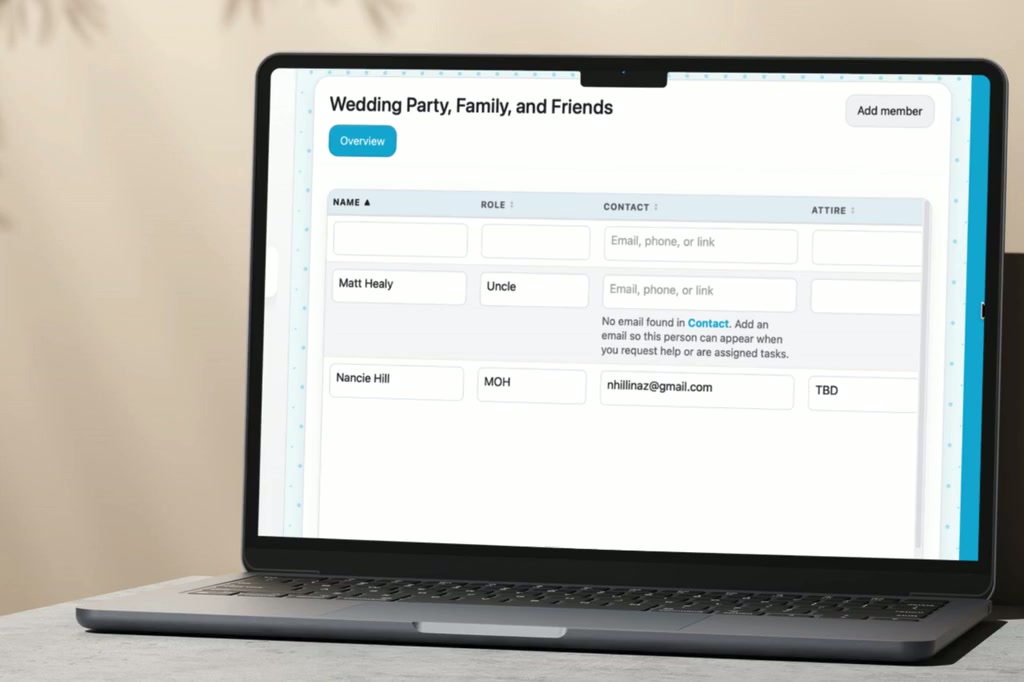
Your wedding party, your guests, and your vendors, all in one section. Email guests a secure link to RSVP and share contact details electronically. Track wedding party roles, manage your guest list, log gifts and thank-you notes when packages arrive, and keep vendor contacts organized so you're never digging through emails to find a phone number.

Honeymoon
Compare destinations, score tradeoffs, and lock a trip budget that syncs with your wedding spend. When it is time to leave, a dedicated packing list keeps passports, outfits, and trip essentials in one checklist beside your ceremony and reception lists.

Photo and video
Compare photography and videography studios with the compare feature, customize ceremony and reception photo and video shot lists, and use Final answer to budget when you lock a studio so used versus available totals stay honest.

Budget
From vendor retainers to welcome party bar tabs, log and filter every payment by event, vendor, and category. The planner calculates how much budget you have used and how much is still available for the next splurge, while estimated and actual columns stay side by side on each line. Add payment dates, methods, and notes in one workspace that links to the rest of your planner so you leave messy spreadsheets and scattered receipts behind.

Compare feature
Compare multiple vendors side by side in every category: venues, caterers, studios, transportation, and more. Add your own criteria, set weights, and score each option so your decision reflects your priorities, not just the loudest pitch.
Venues
Ceremony, reception, and additional venue tabs use the same comparison matrix pattern. Score options on what matters to you, then use Final answer to budget so each venue's budget section and the main Budget stay aligned. Log payments with event, vendor, and category filters plus dates, methods, and notes so the planner never drifts from reality.

Transportation
Compare transportation vendors with the same compare feature you use for venues and studios. Add options, set criteria, and score them. A dedicated transportation budget with recorded spend and remaining balance keeps this easy-to-overlook category from becoming a surprise.