

Schedule and to-dos
Every checklist, custom schedules
Even when you can keep everything in your head, you won't need to. Plus you can email and ask for help with tasks right in the planner.
Explore featureThe reality of wedding planning
You could have a spreadsheet for budget, a shared Note for vendor thoughts, a group text that never stops, and a running list of things you keep meaning to follow up on. But when every decision leads to three more tabs, something important is bound to get dropped.
The solution
Unless you're a wedding planner (or been married before), it is virtually impossible to know what needs your attention and when. My Wedding Dashboard recommends your next steps based on your actual wedding date, flags overdue tasks, and walks you through each planning area with pre-filled checklists you share with others.
Browse the feature tour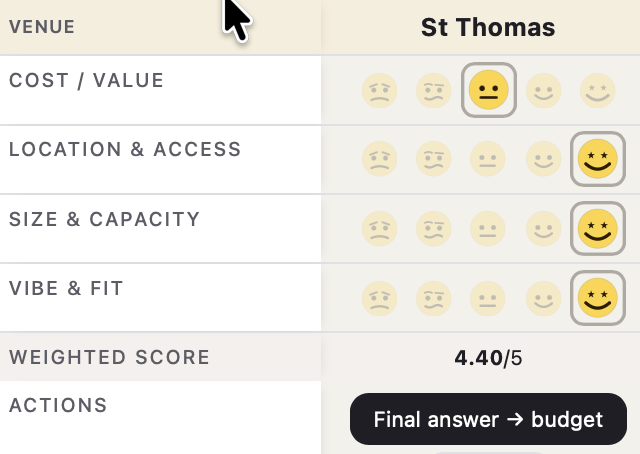
Score venues, caterers, florists, and photographers side by side with factors you define and weights you set. When you make decisions, simply click a button and all your info flows straight into your budget without retyping.
See the compare feature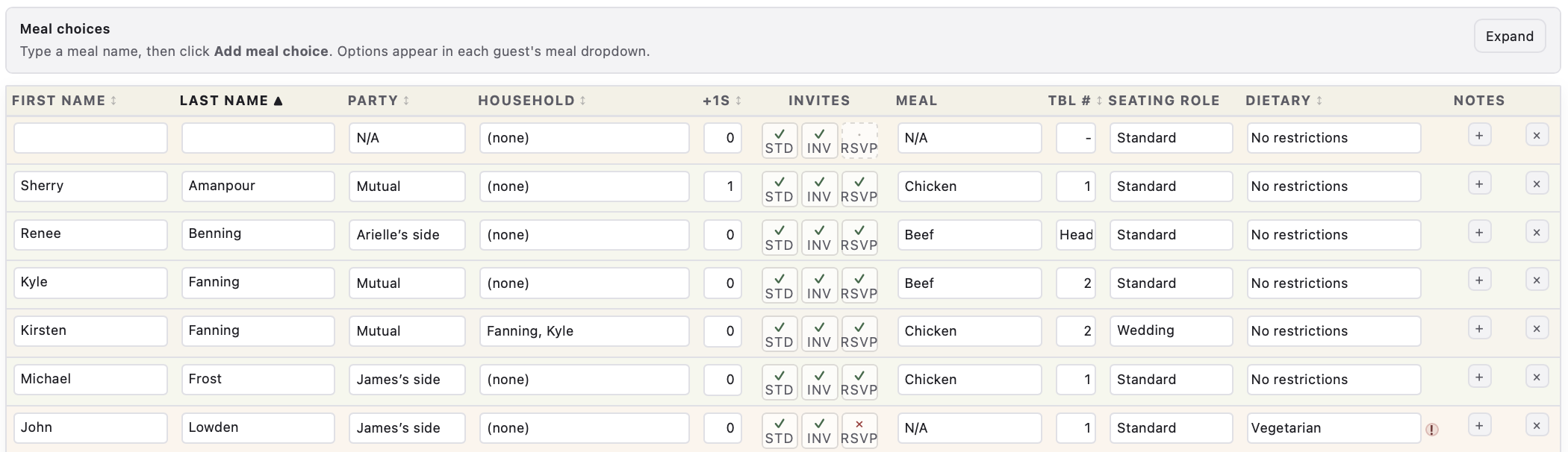
Stop chasing replies in group texts. Send each guest a secure personal link from your dashboard. They confirm attendance, pick a meal, and share phone, email, and mailing address on a mobile-friendly form. Their answers land in your guest list automatically. Batch everyone who still owes you a reply with one click.
See guest email requests
Split tasks between you and your partner with one tap. Share view-only access with family or vendors so everyone sees what they need. Email task lists and schedules to anyone, even if they don't have accounts.
See how collaboration worksCancel anytime during your free trial
Inside the planner
Budget, vendors, guests, schedules, and more. Tap a card to see how each area works.
Schedule and to-dos
Even when you can keep everything in your head, you won't need to. Plus you can email and ask for help with tasks right in the planner.
Explore feature
Wedding theme
Take the interactive quiz and put a name to your style, along with pictures and suggestions for decor and attire.
Explore feature
Guests and invites
Send a secure personal link by email. Guests reply with attendance, meal choice, dietary needs, and mailing address. Their answers update your list automatically. Track STD, invite, and RSVP status in one table.
Explore feature
Seating chart
Plus they will be seated with their households and by wedding roles. Easily drag-and-drop to change.
Explore feature
Honeymoon
Sync honeymoon expenses with your wedding budget, and don't forget a thing with your packing checklist.
Explore feature
Photo and video
Score photography and videography options, customize shot lists, and flow your pick into the budget.
Explore feature
Budget
Everything syncs across sections and real-time graphics let you know instantly where you stand budget-wise.
Explore feature
Compare feature
Put venues, caterers, studios, and transportation side by side with weights that reflect your priorities.
Explore feature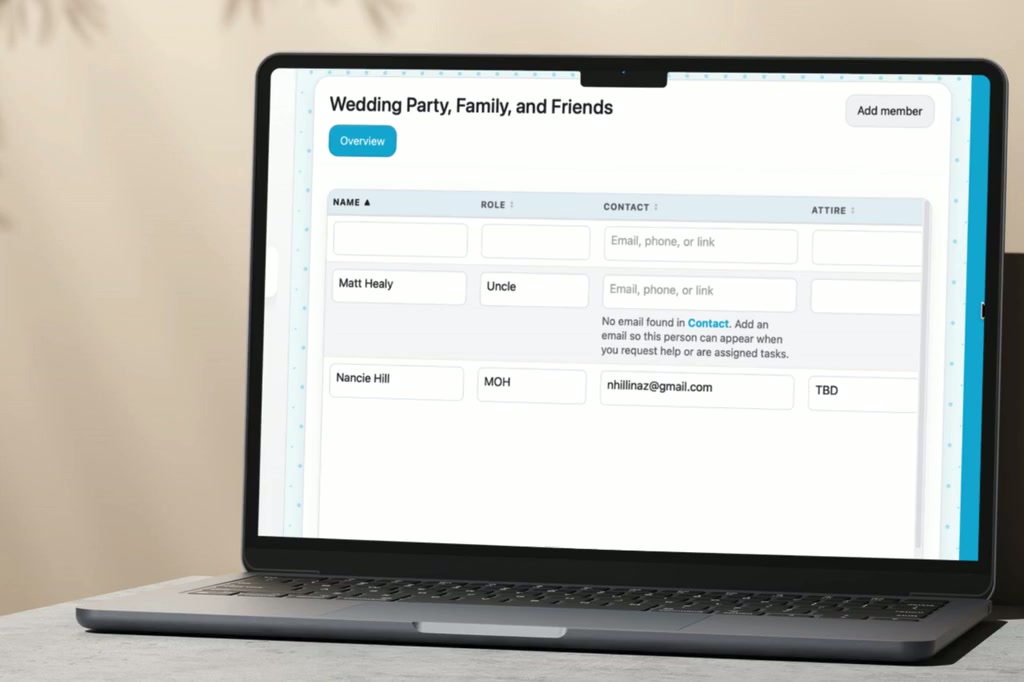
Venues
Separate venue tabs use the same comparison matrix. Lock a pick and sync it to your budget automatically.
Explore featureHow it works
Enter your wedding date, set your budget, and choose which sections you need. Your checklists, budget categories, and planning areas are pre-filled and ready. No blank spreadsheet staring back at you.
Work through your planning areas at your own pace. Use the compare feature to score vendors side by side. Assign tasks to your partner, share view-only access with family, and email task lists to anyone without them needing an account.
Your dashboard keeps a live view of what is overdue, what is coming up, and what still needs a decision, all adjusted to your actual wedding date. Check in from your phone on the go. Pick up where you left off on your laptop at home.
Cancel anytime during your free trial
Pricing
Limited time
30 days free
Was $199
$ 199 once
No subscription. No renewals. Yours forever.
Cancel anytime during your 30-day trial
White-label planner subscription coming soon. Join the waitlist for 50% off your first year.
Yes, you get 30 days of free, full access to the planner. After that, lifetime access is a one-time $199 purchase. Need to share editing access? Additional editor collaborators are $50 per person. Cancel anytime during the trial. Start your free 30 days →
Etsy wedding spreadsheets are blank grids you build and maintain yourself. My Wedding Dashboard is a structured planning app where the checklists, budget categories, and vendor comparison tools are already built. Your tasks, budget, timelines, and decisions are connected so a change in one place updates the others. It is built for accountability and follow-through, not just a place to store information. Explore the feature tour or read how couples compare MWD to spreadsheet templates.
Yes, the compare feature is included for every user. Put venues, caterers, studios, photographers, and transportation companies side by side, score them on criteria you define, and set weights so your priorities drive the decision. When you pick a winner, the numbers flow into your budget without retyping. See it on the feature tour.
Yes. You and your partner each get dedicated to-do lists and you can assign any task between you with one tap. Grant unlimited view-only access so family and vendors stay in the loop without editing anything. Email lists, schedules, and tasks to anyone without them needing an account. See how collaboration works.
Your dashboard ships with pre-populated checklists for every major planning area: ceremony, reception, catering, florals, hair and makeup, photography, transportation, honeymoon, and more. You can add, hide, or remove any task that does not apply. Need to share? Email full lists to anyone from inside the app, or grant unlimited view-only access. Additional editor collaborators with full editing access are $50 per person. Explore the schedule and to-dos feature.
Yes. Your dashboard surfaces overdue tasks, upcoming deadlines, and items that still need a decision, all adjusted to your wedding date. Planning a year out or a month out, the view changes with you. Pre-populated checklists on every feature page mean you are never starting from a blank list. Browse the feature tour.
Yes. Use the compare feature to score caterers, menus, bakeries, and bar service side by side. Compare service style, price per person, minimums, staffing fees, dietary restrictions, and log tasting scores as you go. Your budget updates instantly when you lock in a choice.